- Taxes for your province
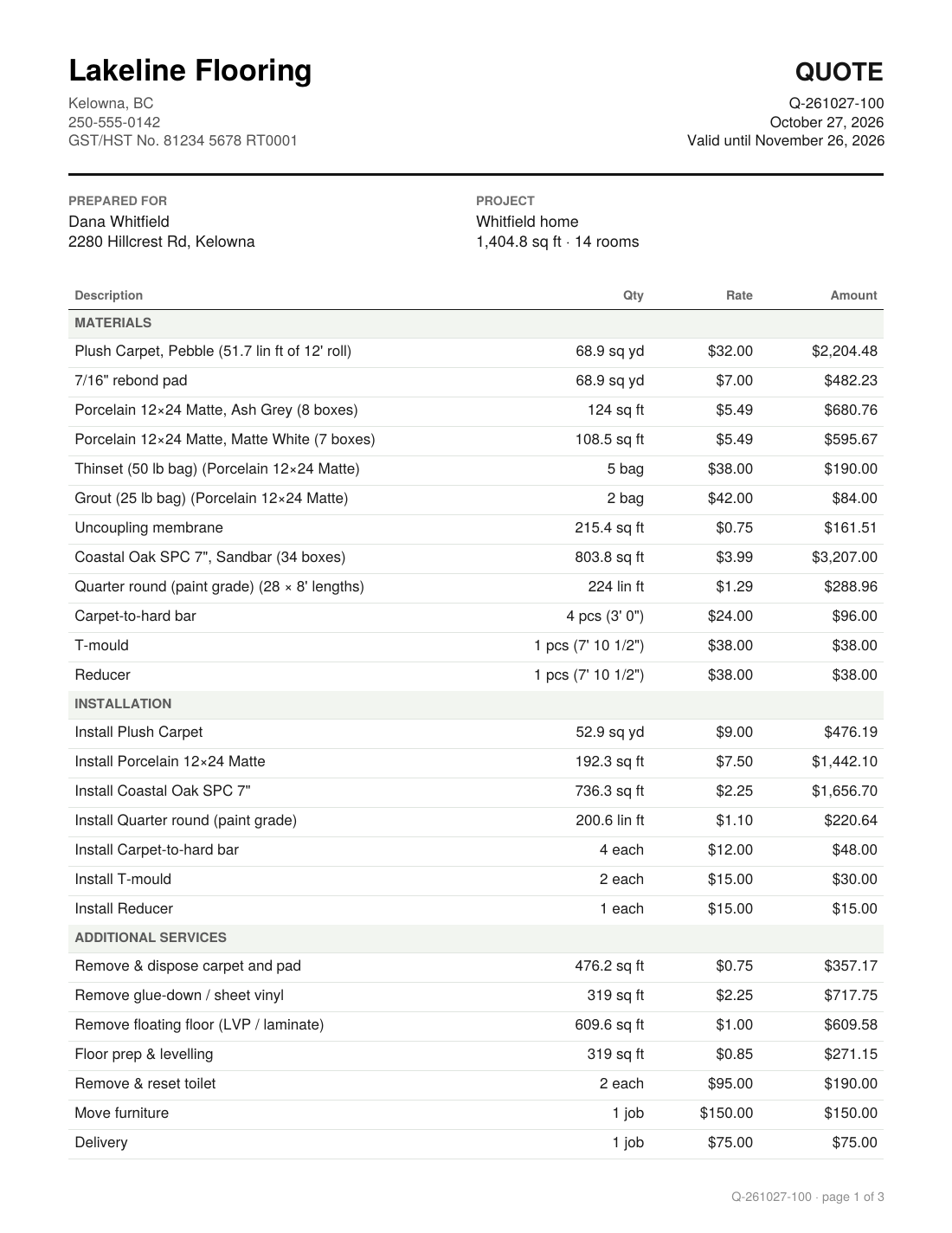
- Pick your province and GST, PST or HST fill in at the current rates. Tick the ones you charge.
- Quote numbers that carry on from yours
- Already up to quote 0432? Start there. The next number is used when you send a quote, so there are no gaps.
- Deposits, minimums and discounts
- Deposit as a percent or a set amount, a minimum job charge, and discounts in dollars or percent.
- Tile on walls too
- Shower walls and backsplashes go in as width × height, with their own labour rate. Underlay and membranes stay on the floor.
- Labour-only quotes
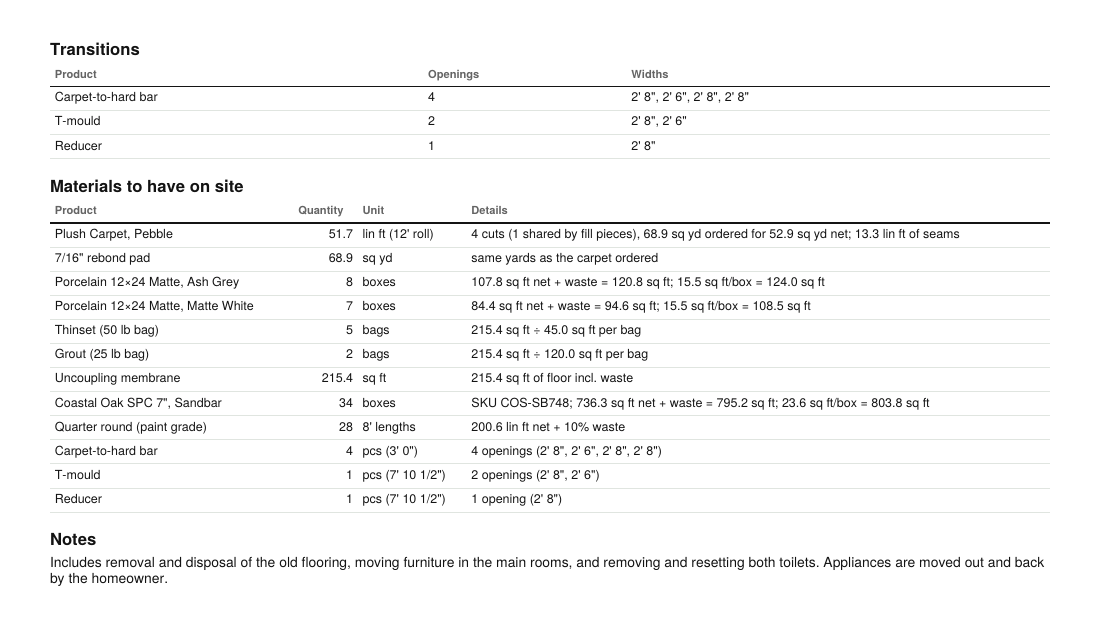
- Customer buying the flooring? Tick Labour only and the quote lists what they need to buy, at no charge.
- Two options, one set of measurements
- Laminate instead of LVP? Price an option from the same takeoff and the quote shows both totals.
- Keeps working with no signal
- No cell service in the basement? Keep working. Your changes sync when you're back online.
- Every device, one account
- Start on the laptop, finish on the phone. Jobs and prices follow you.
- Multi-page PDFs
- Each page keeps its own scale and rooms, so a two-storey house stays tidy.
- Your prices, your way
- Set your own sections, flooring types, units and columns. Prep can be flat, hourly, by the bag or by the square foot.
- Just the takeoff, if that's all you need
- Turn off the estimate and quote tabs and use ALDAS as a measuring tool.
- Check every number
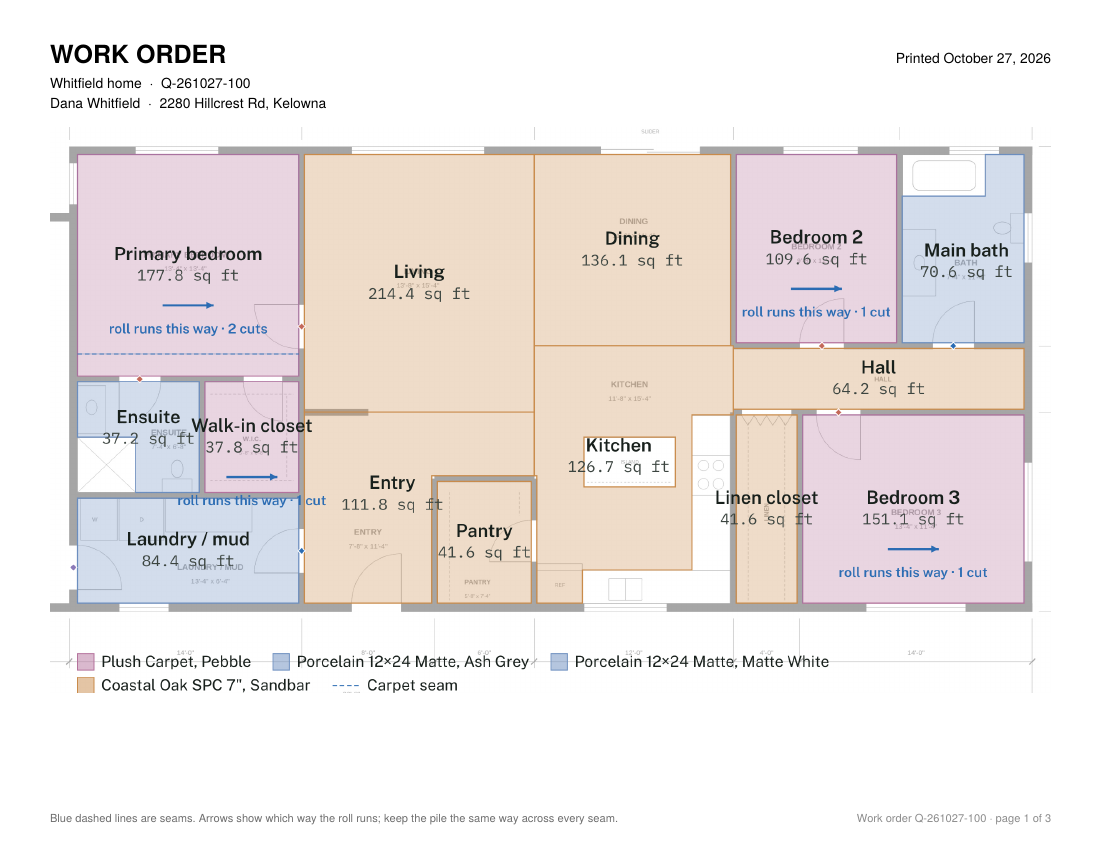
- Each room shows its area, perimeter, waste and cuts, and the estimate lists every line. Nothing hidden.